
Real-time prices
Stocks & ETFs via Alpha Vantage or Finnhub. 10,000+ cryptocurrencies via CoinGecko. Precious metals via Metals.dev. Bring your own keys.
Private Portfolio is a wealth tracker that never asks for an account. Every balance you enter lives on your Mac — encrypted at rest, unseen by any server. No sync. No subscription. No cloud.
No Plaid, no Yodlee, no server. Only asset symbols touch the network — never holdings.
AES-256-GCM with PBKDF2-HMAC-SHA512, 600,000 iterations. Touch ID, auto-lock, duress password.
Stocks, crypto, real estate, metals, bonds, retirement, collectibles — 20+ classes, one net-worth.
A free tier to begin with, a one-time lifetime unlock to remove the limit. No subscription, ever.
One view, built for serious portfolios: live prices, multi-currency net worth, projections, and beautifully rendered allocation — all computed on device, all yours alone.
Stocks & ETFs via Alpha Vantage or Finnhub. 10,000+ cryptocurrencies via CoinGecko. Precious metals via Metals.dev. Bring your own keys.
USD, EUR, GBP, CHF, JPY, CAD, AUD and more — with automatic conversion and a single consolidated view.
Stocks, crypto, real estate, metals, bonds, retirement accounts, private investments, collectibles, vehicles, insurance, loans, options.
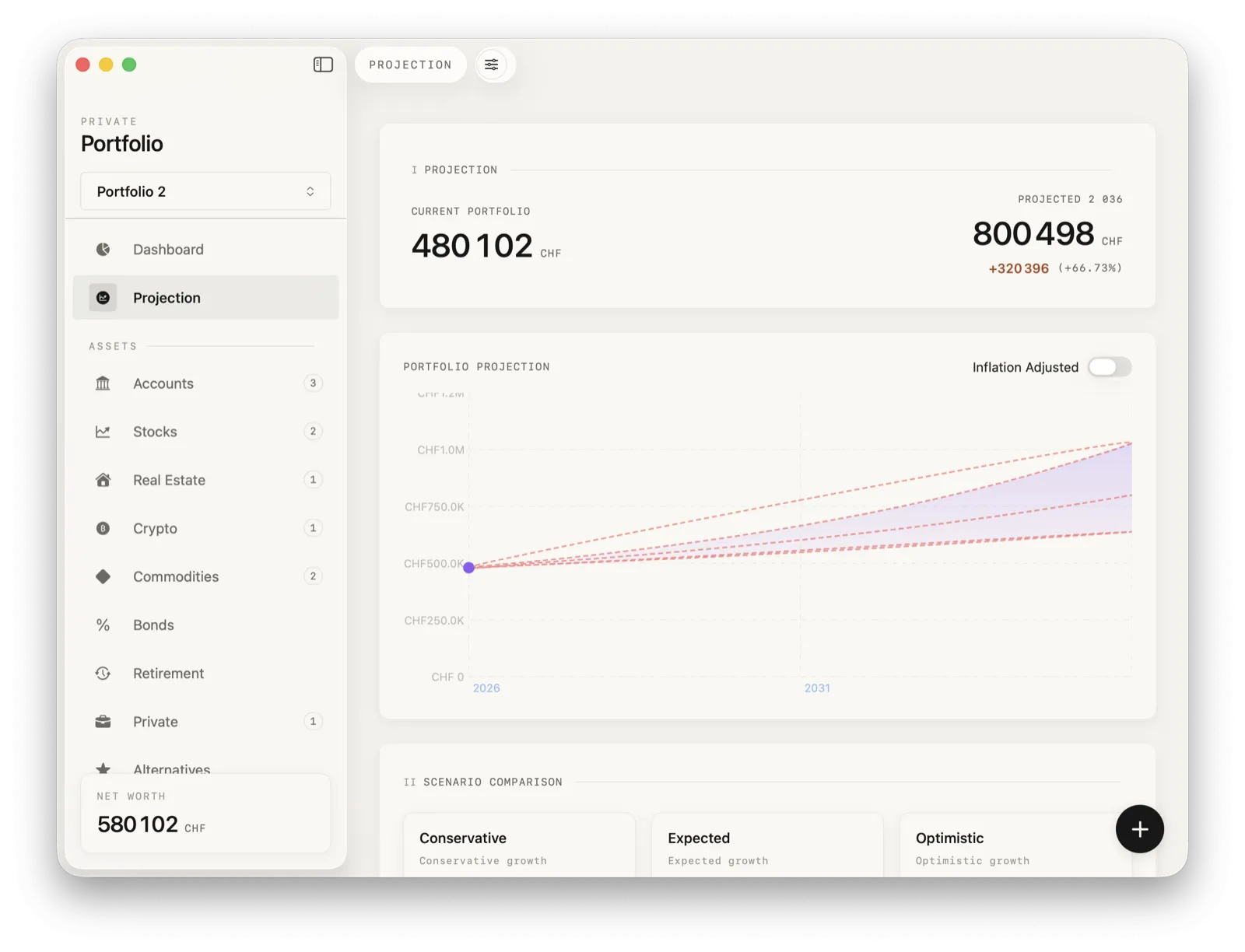
Conservative, expected, and optimistic scenarios. Inflation-adjusted. Milestones you can track against.
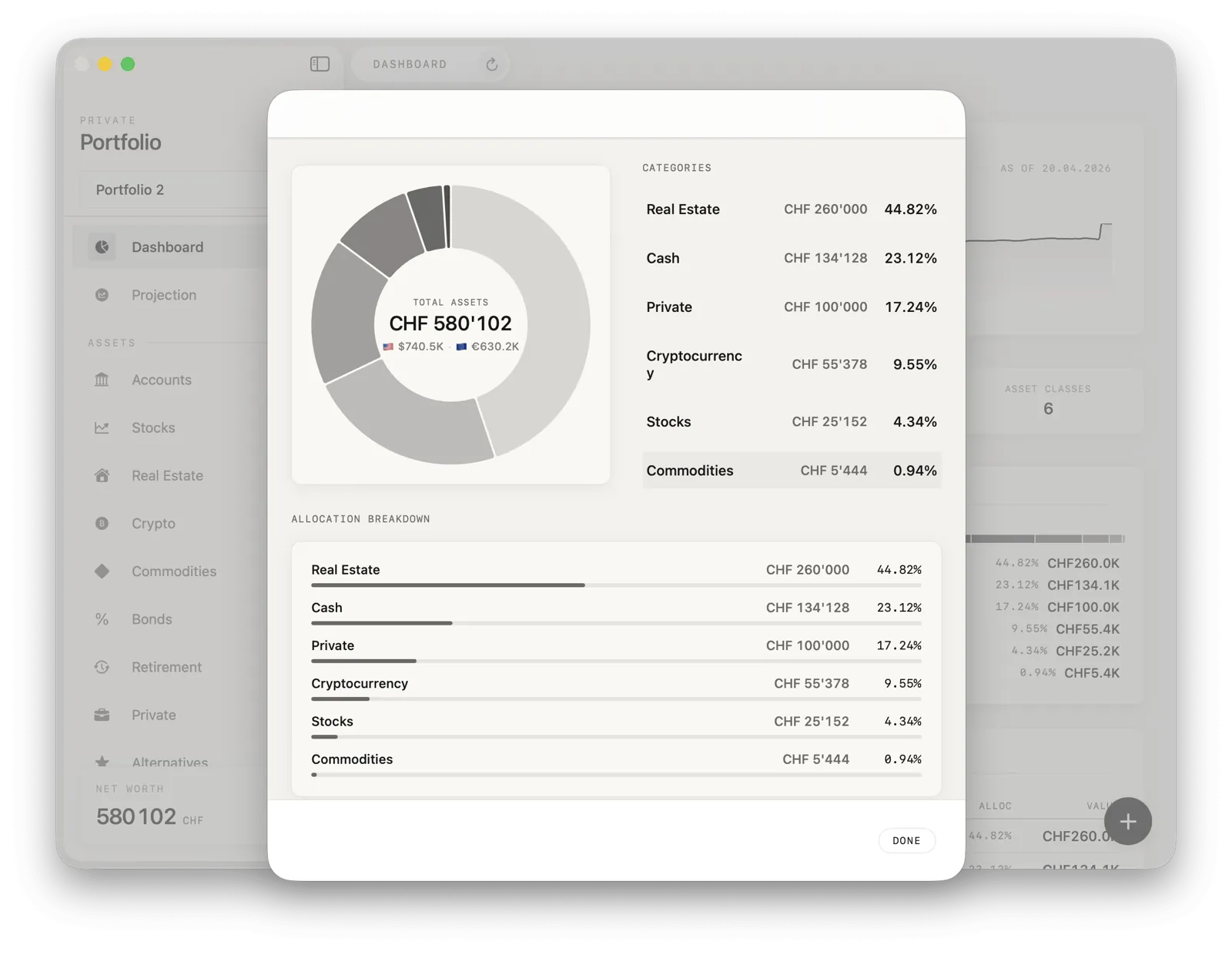
Pie and breakdown views across asset classes and accounts. Understand concentration at a glance.
CSV or JSON, any time, from settings. Your data, your format, your control.
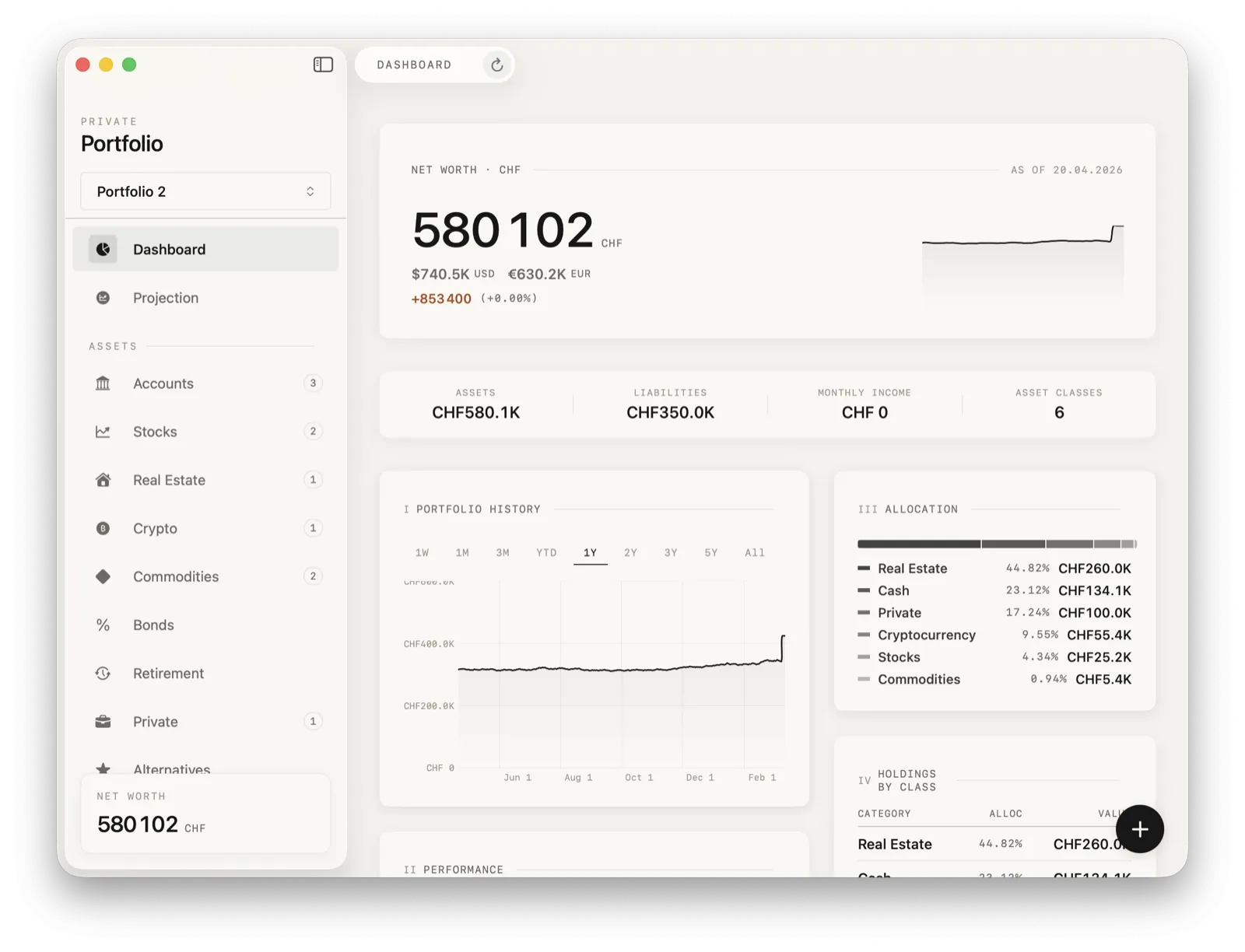
Net worth, 12-month history, asset allocation, top movers — all on one surface. Quiet, fast, precise.
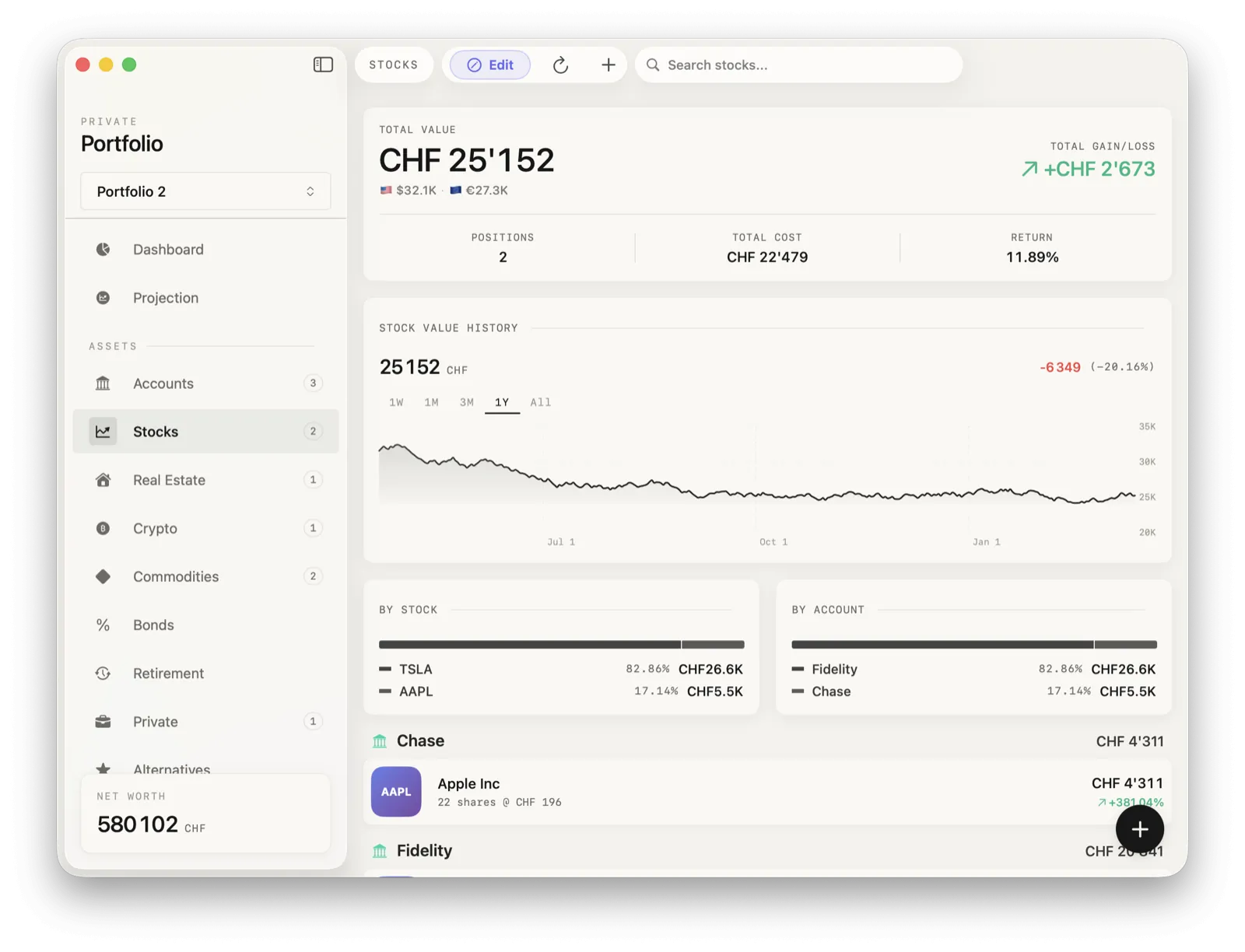
Live prices, gain and loss per position, value history, and a breakdown by account. No surprises.
Conservative, expected, optimistic — three scenarios over twenty years, adjusted for inflation if you ask.
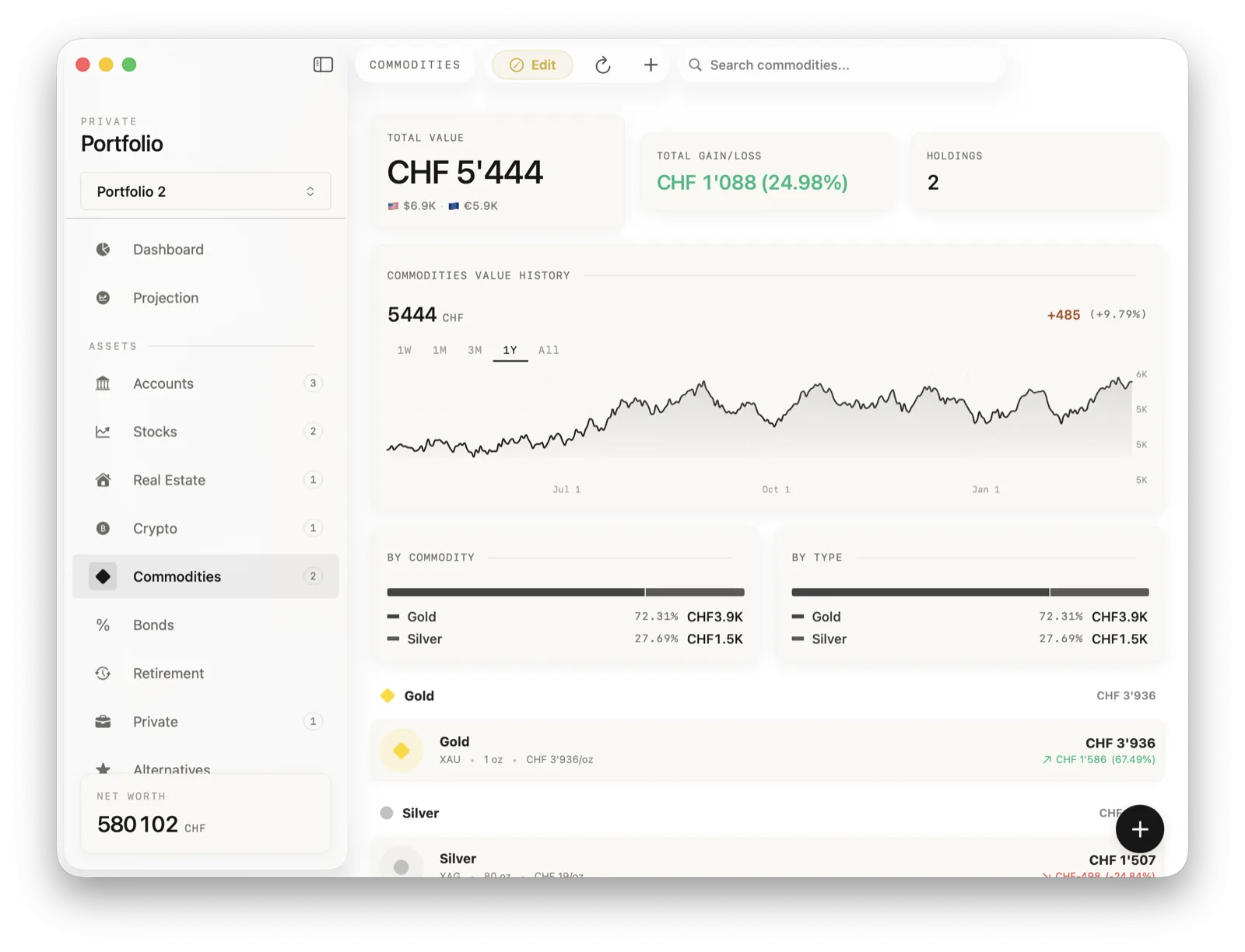
Gold, silver, platinum, palladium — priced in the currency you care about, with holdings history and a breakdown by metal and by type.
Privacy is not a feature here. It is the premise. Everything below is what that premise costs — and why we think it is worth paying.
Your portfolio database is a single encrypted file on your Mac. It is never uploaded, synced, or copied to iCloud.
Derived with PBKDF2-HMAC-SHA512 at 600,000 iterations and a cryptographically secure random salt. Keys live in the Keychain, device-only.
No analytics. No crash pingbacks. No ad IDs. Only asset symbols (AAPL, BTC) ever leave the machine — to fetch prices, nothing else.
Biometric unlock, auto-lock on sleep, a separate duress password that opens a decoy portfolio — because some threats are not theoretical.
From the liquid and public to the illiquid and private. Below is the full list — the things you would have to cobble together from three apps, in one.
| # | Asset class | Source / note | Coverage |
|---|---|---|---|
| 01 | Stocks & ETFs | Alpha Vantage or Finnhub | Global equities |
| 02 | Cryptocurrency | CoinGecko | 10,000+ |
| 03 | Real estate | Equity + property value | Manual |
| 04 | Bank accounts & cash | Manual entry | Any currency |
| 05 | Precious metals | Metals.dev | Au · Ag · Pt · Pd |
| 06 | Bonds & fixed income | Manual, with yield | Any |
| 07 | Retirement accounts | 401(k), IRA, Roth, Traditional | All types |
| 08 | Private investments | Startups, funds, partnerships | Manual |
| 09 | Collectibles & art | User-valued | Manual |
| 10 | Vehicles | Depreciable | Manual |
| 11 | Life insurance (cash value) | Policy-tracked | Manual |
| 12 | Loans receivable | With term & interest | Manual |
| 13 | Stock options | Strike, vesting, grant date | Manual |
Every layer below exists because financial data deserves more than a login screen and good intentions.
Never stored. Used only to derive the encryption key, which itself never touches disk in plaintext.
Biometric convenience, Secure Enclave storage. You still own the fallback password.
Close the lid, the vault closes with it. Walk away without worrying.
A second password that opens a decoy portfolio. For when "I can't unlock it" is not the safe answer.
One action, irreversible. Everything gone, locally, immediately.
No. Everything is stored locally on your Mac and encrypted with AES-256-GCM. Only asset symbols — AAPL, BTC — are sent to price APIs. Never balances, quantities, or holdings.
There is a free tier that tracks up to three assets. A one-time lifetime purchase unlocks unlimited assets. There is no subscription, ever.
Stocks & ETFs, 10,000+ cryptocurrencies, real estate, bank accounts, precious metals, bonds, retirement accounts (401k, IRA, Roth), private investments, collectibles, vehicles, life insurance, loans receivable, and stock options.
AES-256-GCM with PBKDF2-HMAC-SHA512 key derivation, 600,000 iterations, a cryptographically secure random salt, and Keychain storage with device-only access (no iCloud sync).
Alpha Vantage and Finnhub for stocks and ETFs, CoinGecko for crypto, Metals.dev for precious metals. You bring your own keys — full control over the third parties in play.
Yes. CSV or JSON, from settings, at any time. No vendor lock-in.
macOS 15.0 and later, native on both Apple Silicon and Intel Macs.
No. Sync would require a server or iCloud; Private Portfolio avoids both by design.
Those apps route your financial data through their servers. Private Portfolio does not route it anywhere — no account, no Plaid or Yodlee, no cloud database.
No. It is a tracking and visualization tool, not an advisor.
No account. No subscription. No cloud. Just you and your Mac.